
Fleet Content Page
In this page you can see the data of the fleet, the devices that belong to it, take actions, and see the analytics of these devices.
You can pin and unpin the fleet from the icon in the header next to the name of the fleet, you can also see the total devices that belong to it, who created it and the last time the fleet was modified.
At the right side you can export the devices of the fleet, see the actions you can take on the devices of the fleet, or see more configuration of it. We will explore these options more in details.

Overview
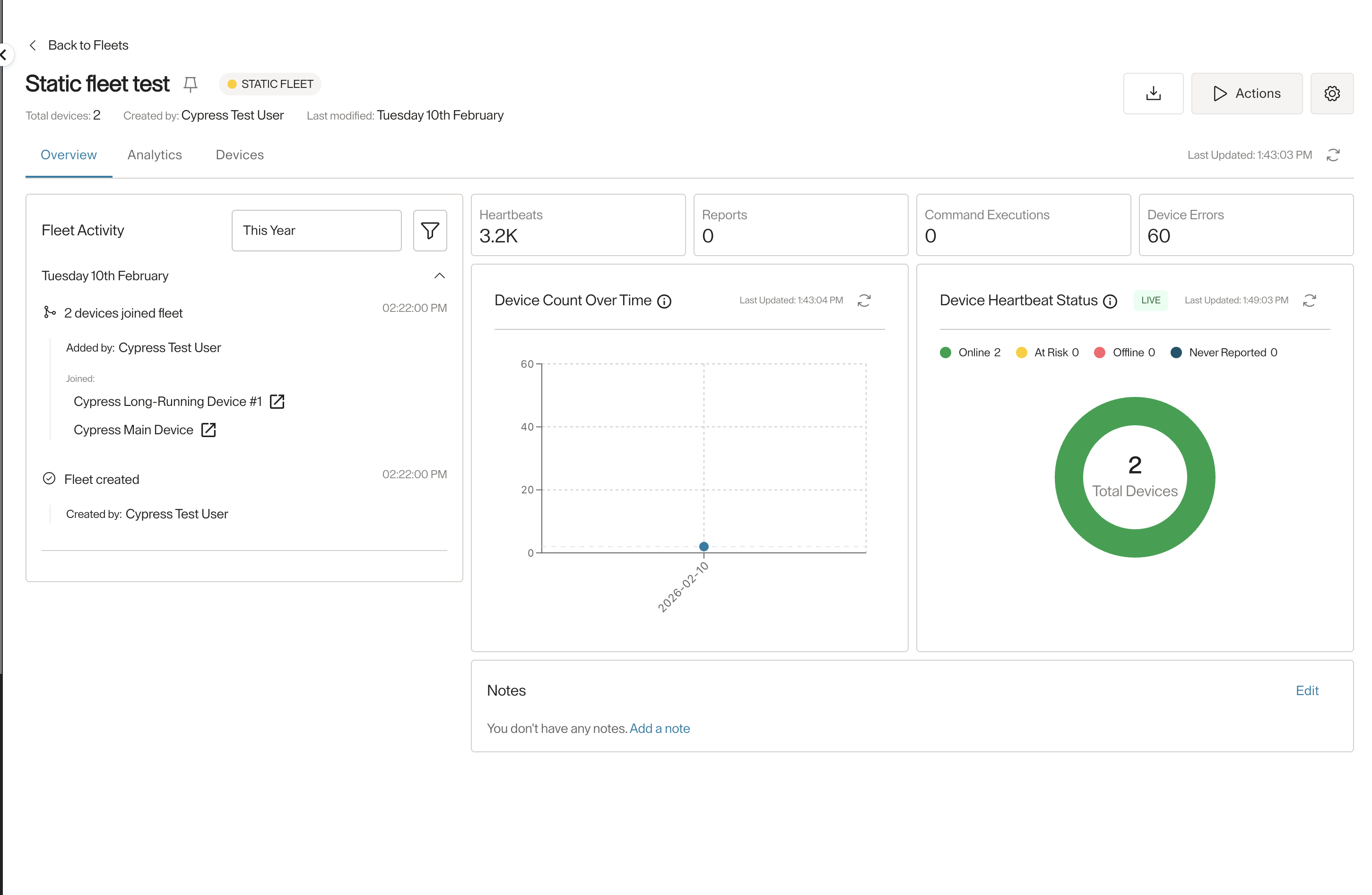
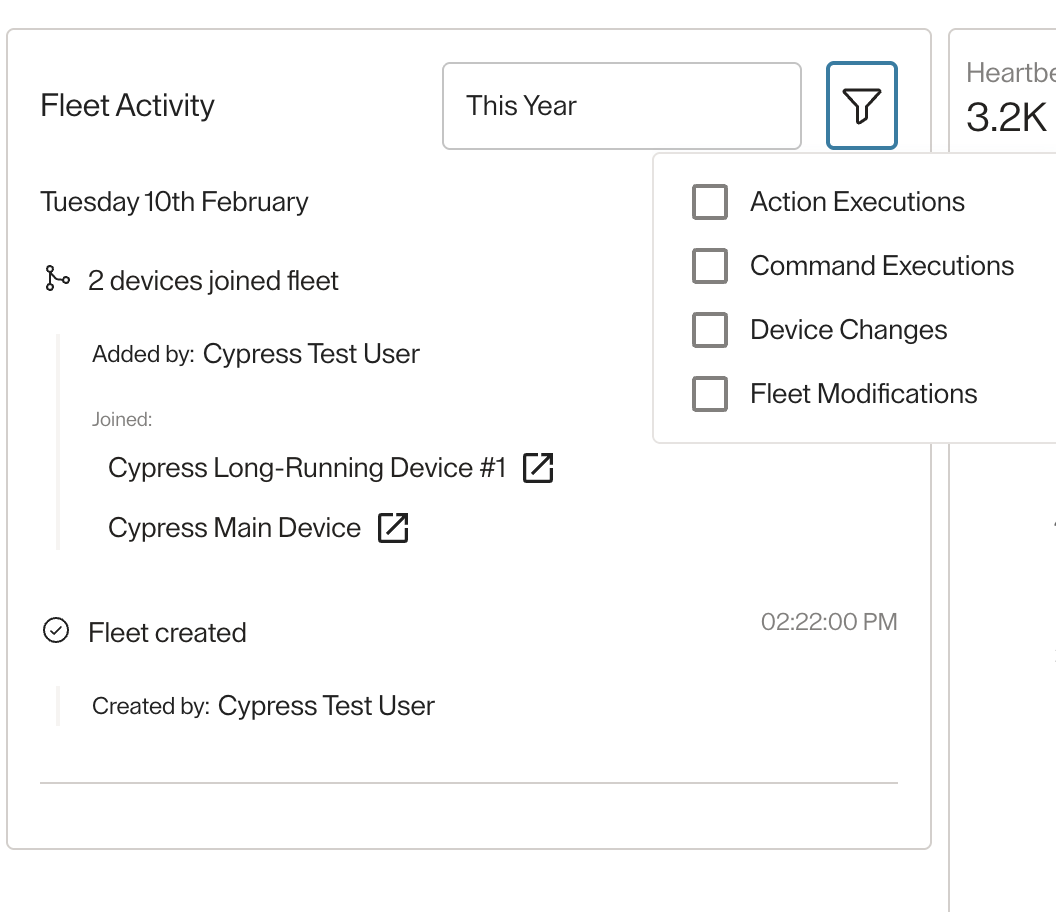
The overview tab has the activity of the fleet, any action or command executed on the fleet, devices added or removed from it, or modifications to the fleet data itself, all these activities will be seen in the left side. You can filter them by a date range and by the type.
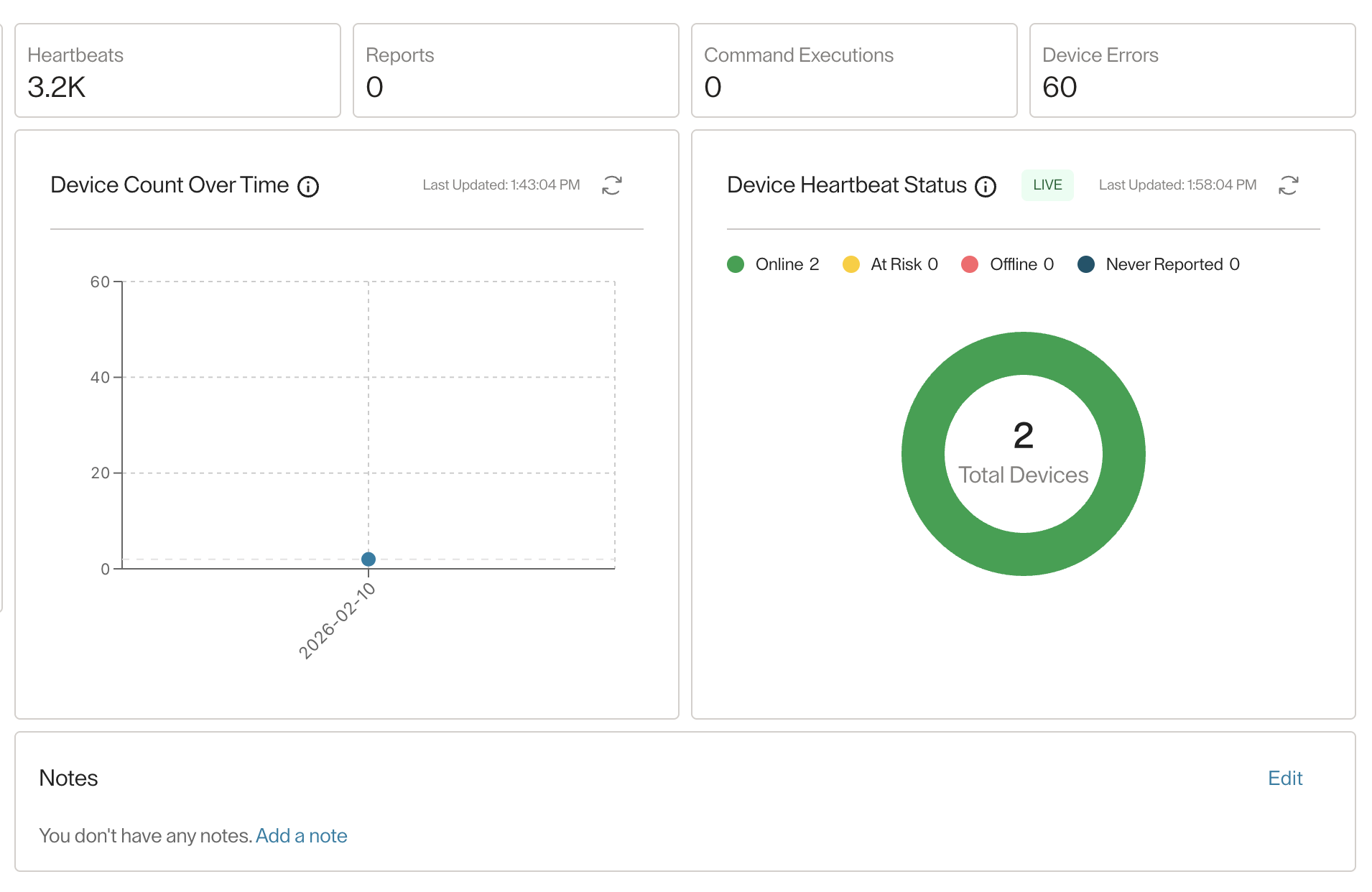
At the right side you can see the most relevant analytics data of the fleet devices. And you can add or edit notes about the fleet.
Analytics
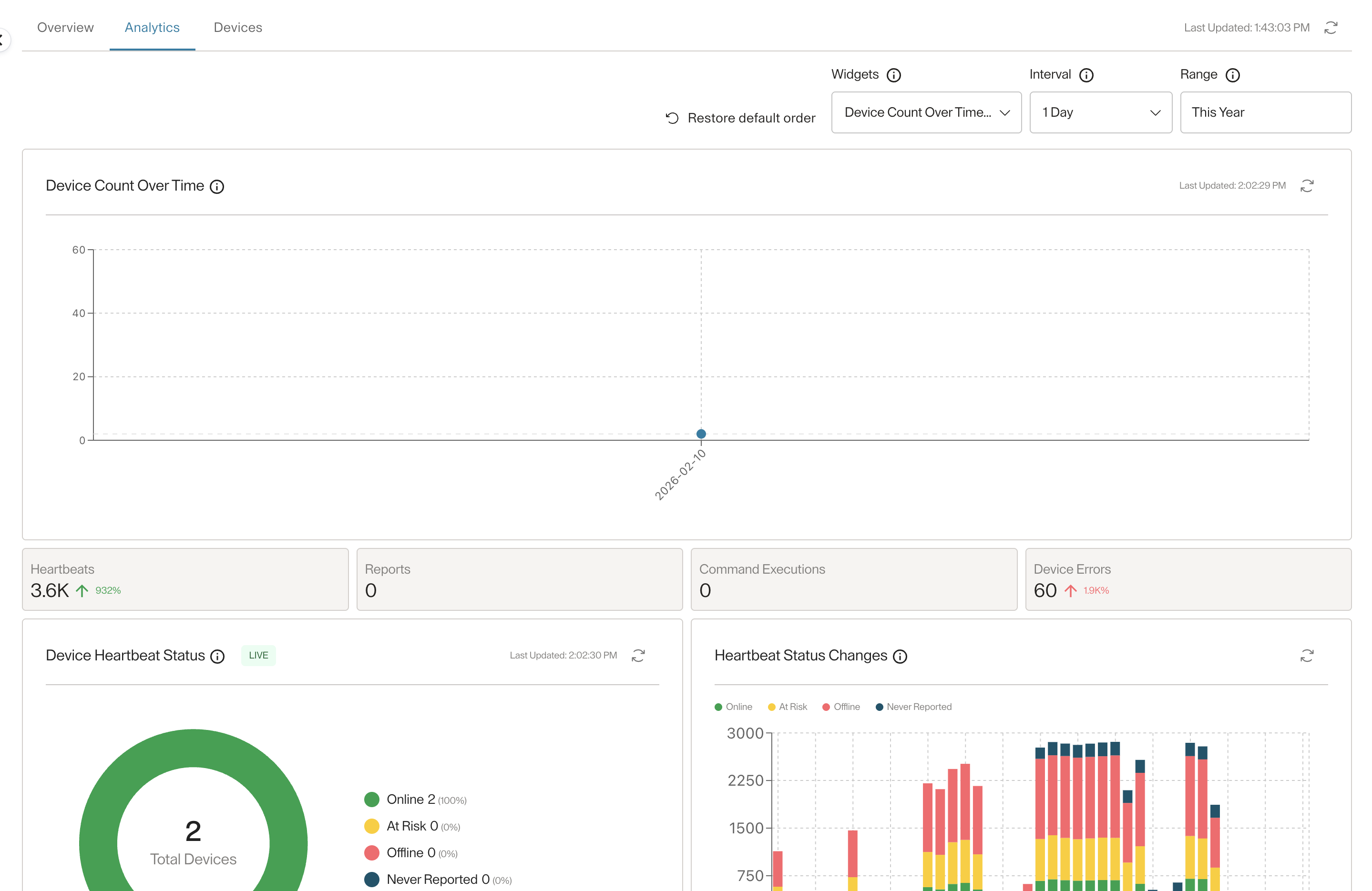
In this tab you can see the same analytics widgets you see in the dashboard, but only for the devices belonging to the fleet, with one more widget which is the "Device Count Over Time" widget. And same as in the dashboard you can choose what widgets to see, the date range, and the interval.
You can also reorder the widgets however you like, and restore the default order if you wish to do so.
Devices
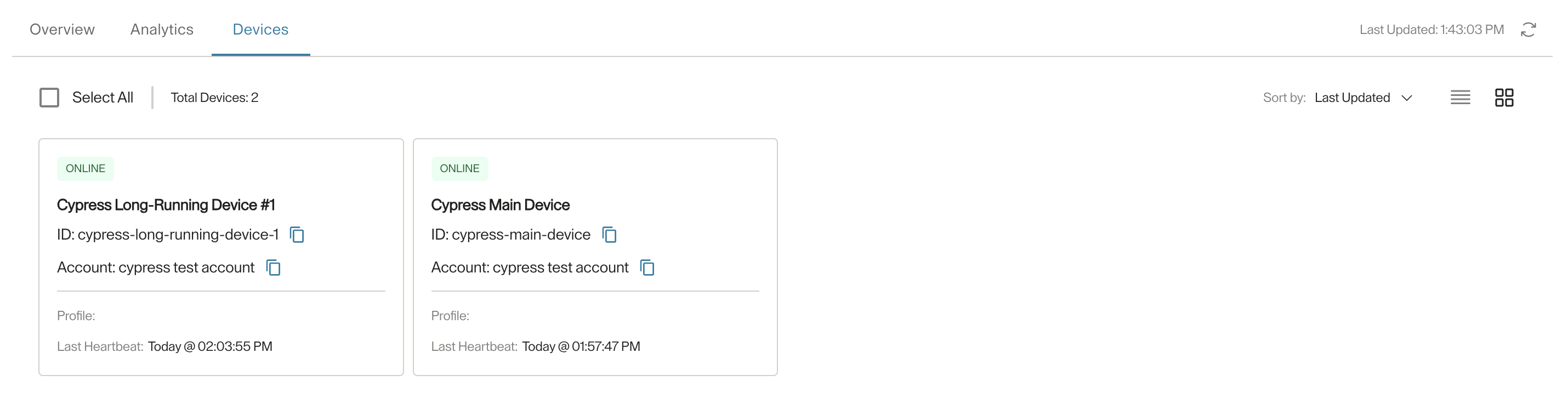
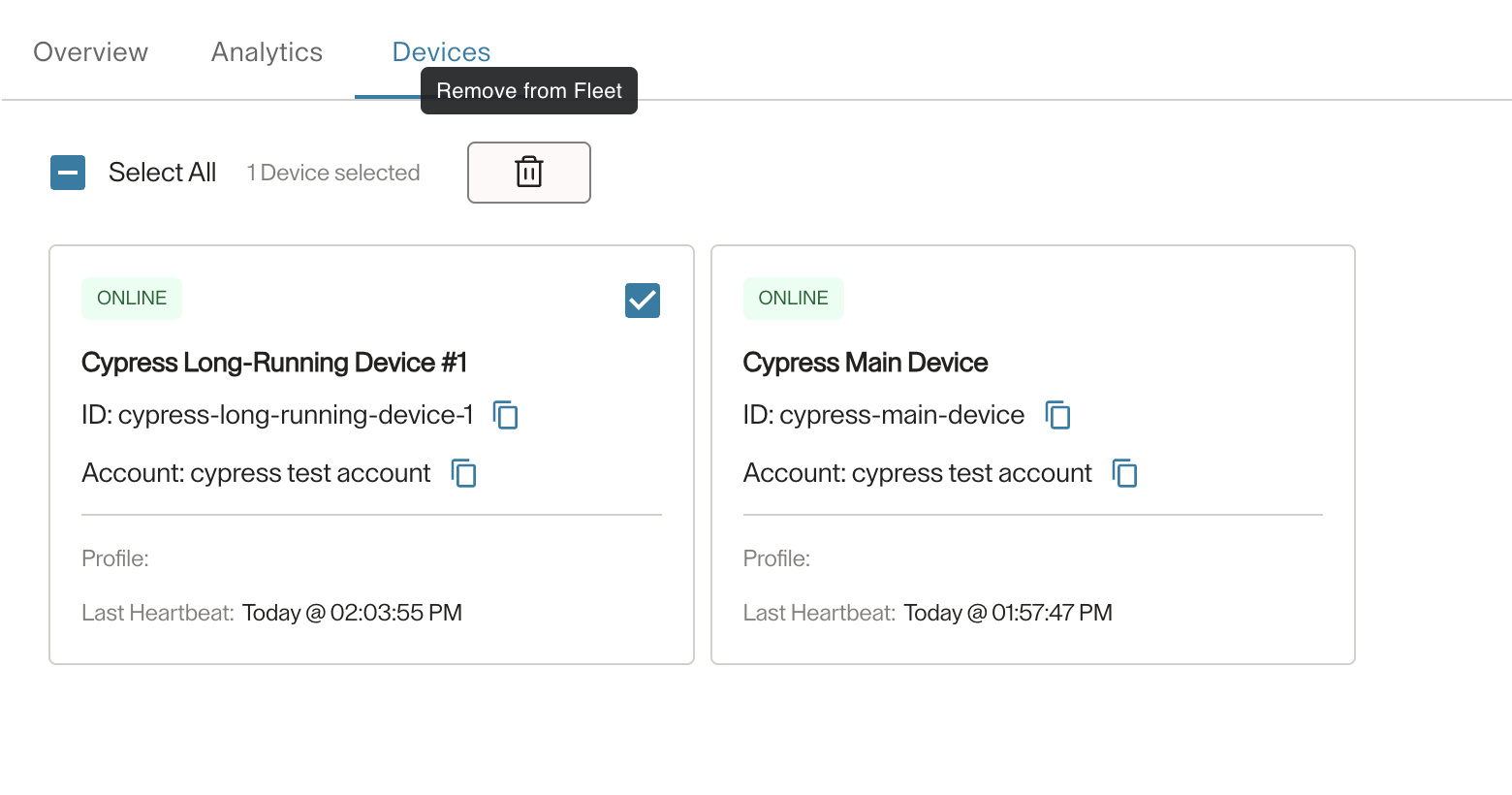
Here you can see all the devices that belong to the fleet. If the fleet is static, you can select devices and remove them from the fleet. For smart fleets, you can only see the devices.
Updated 5 months ago