
Managing Fleets
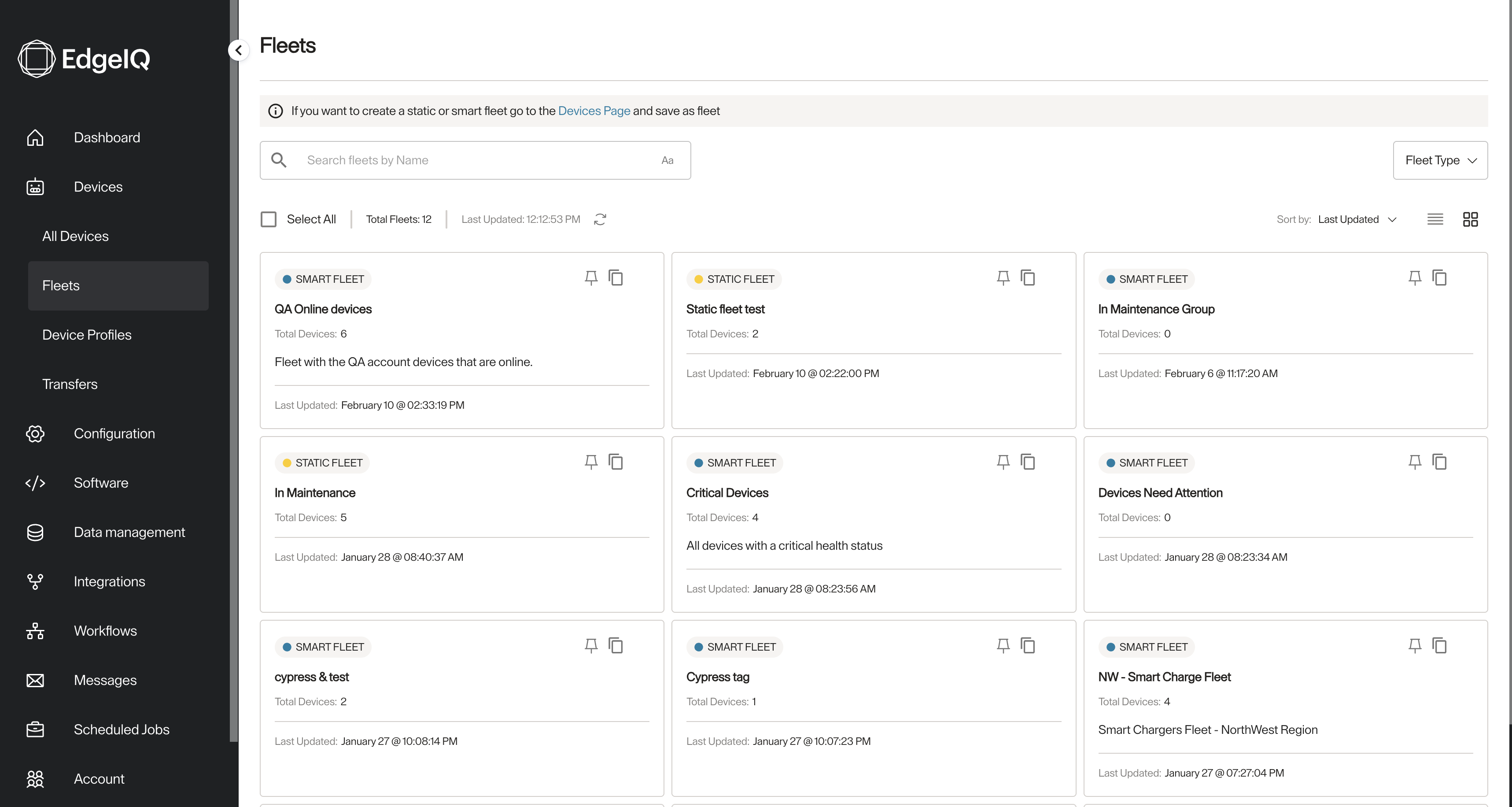
In this page you can see all the fleets you, or other members of your team, created. You can search fleets by name or type.
-
In the left menu, go to Devices -> Fleets
-
You can see all the fleets you have access to. Filter them by name and/or type.
-
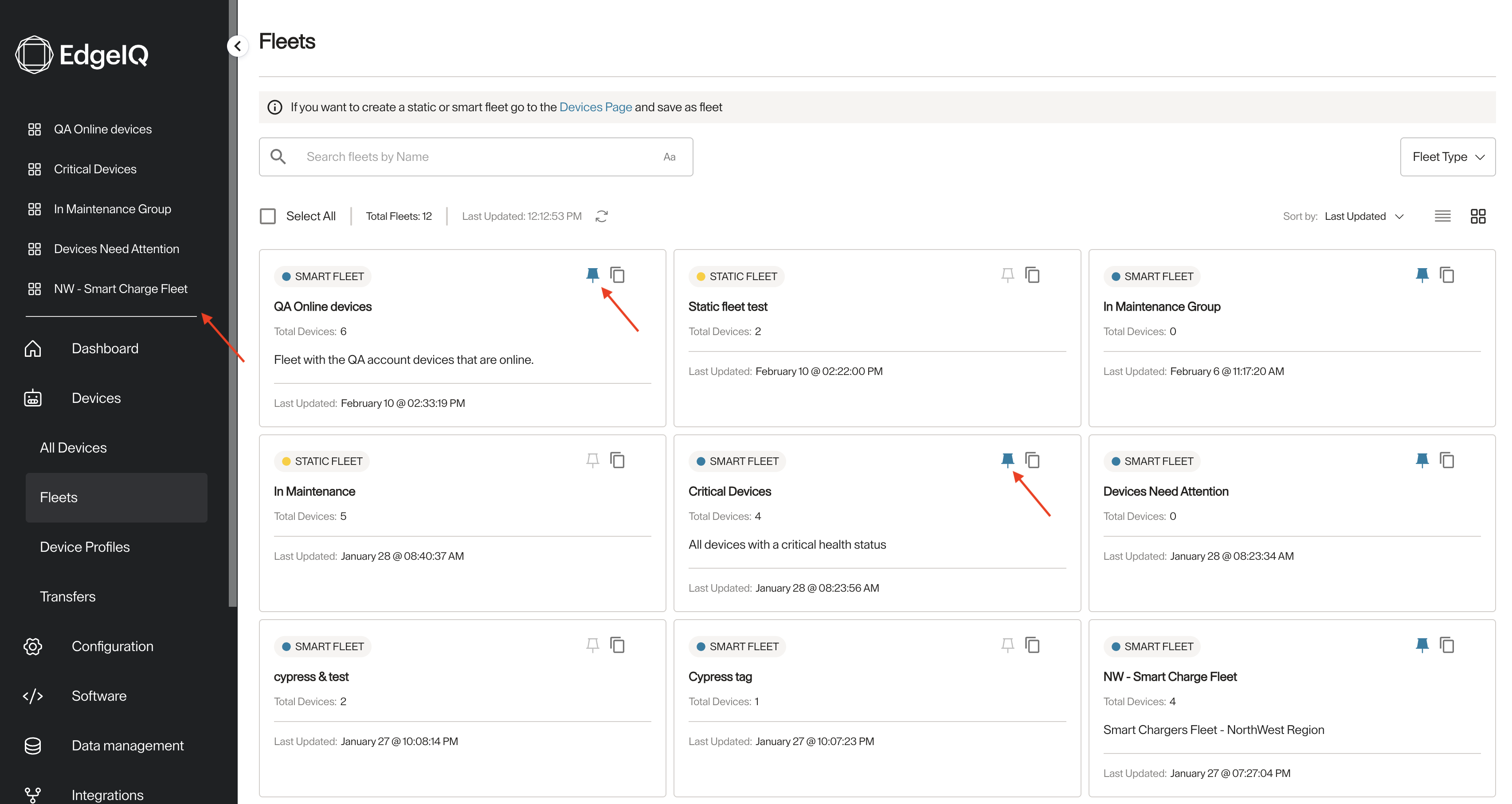
You can pin up to five fleets. And once you do you can see them in the top part of the left menu.
-
You can also copy a fleet, with a different name, if it is a static fleet, it will have the same devices attached to it, if it is a smart fleet, it will have the same filtering criteria and by default all the devices that match it will be added to this new copy fleet.
Updated 7 months ago
Did this page help you?