
Creating a Fleet
Creating a Static Fleet
-
Navigate to Devices -> All Devices
-
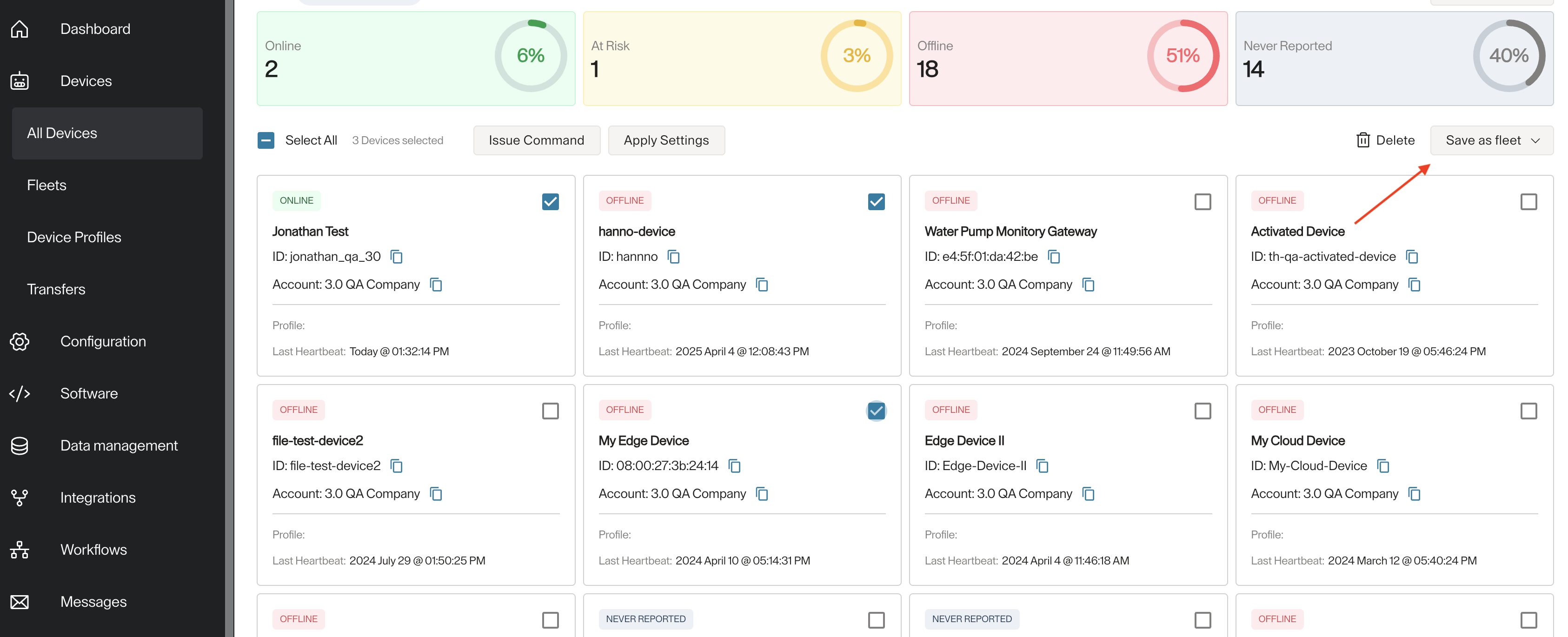
Select at least one device from the list of devices you see, you will be able to see Save as fleet button as in the image below.
-
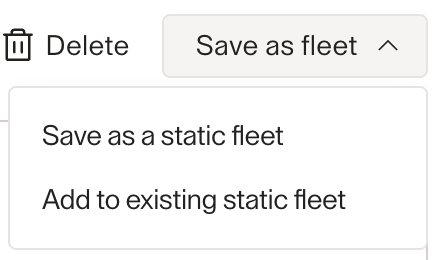
When clicked you will see these 2 options
-
Choose Save as a static fleet
-
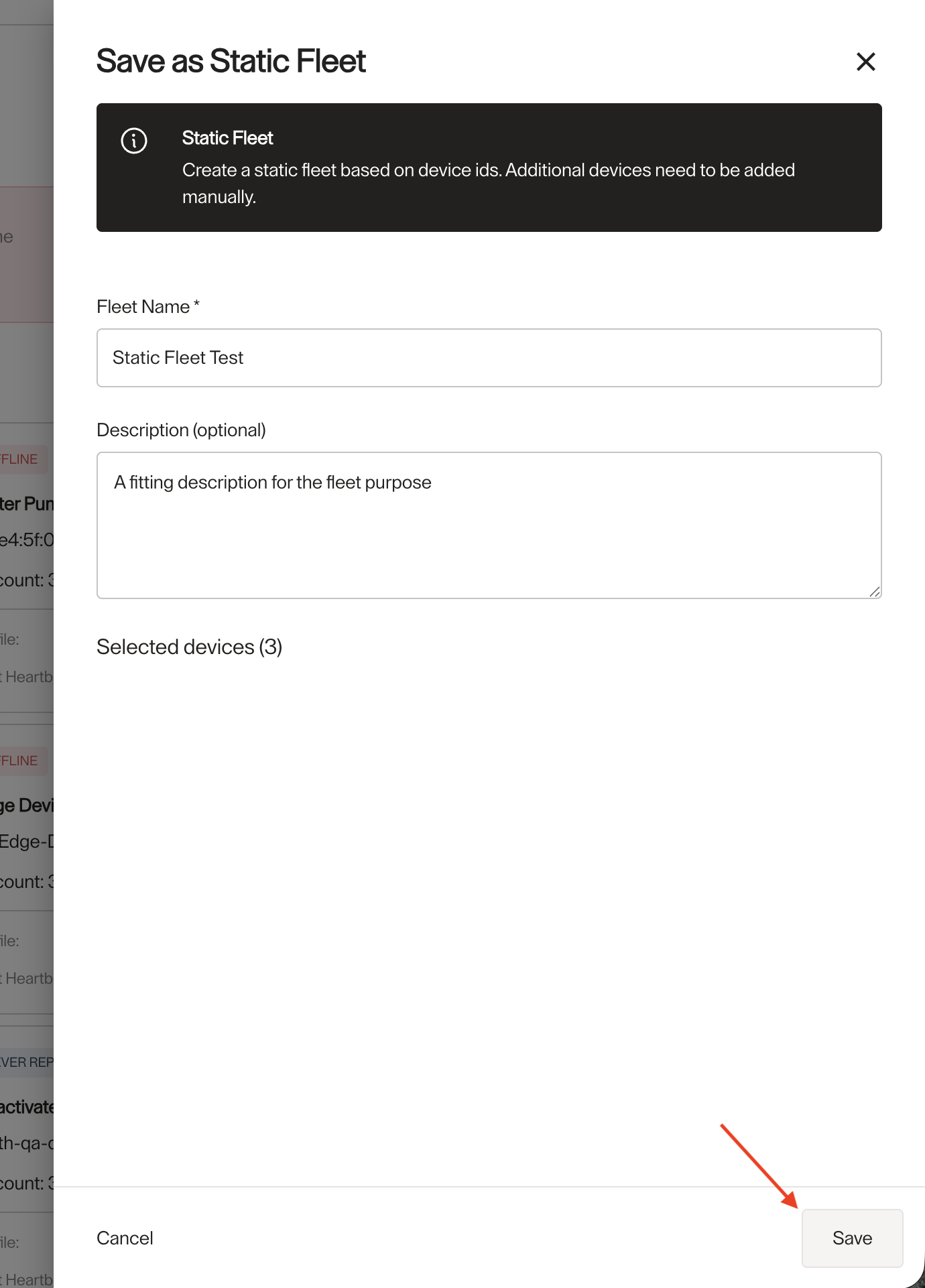
Then in this form complete Fleet Name and Description (optional) of the fleet, then click on Save
Creating a Smart Fleet
-
Navigate to Devices -> All Devices
-
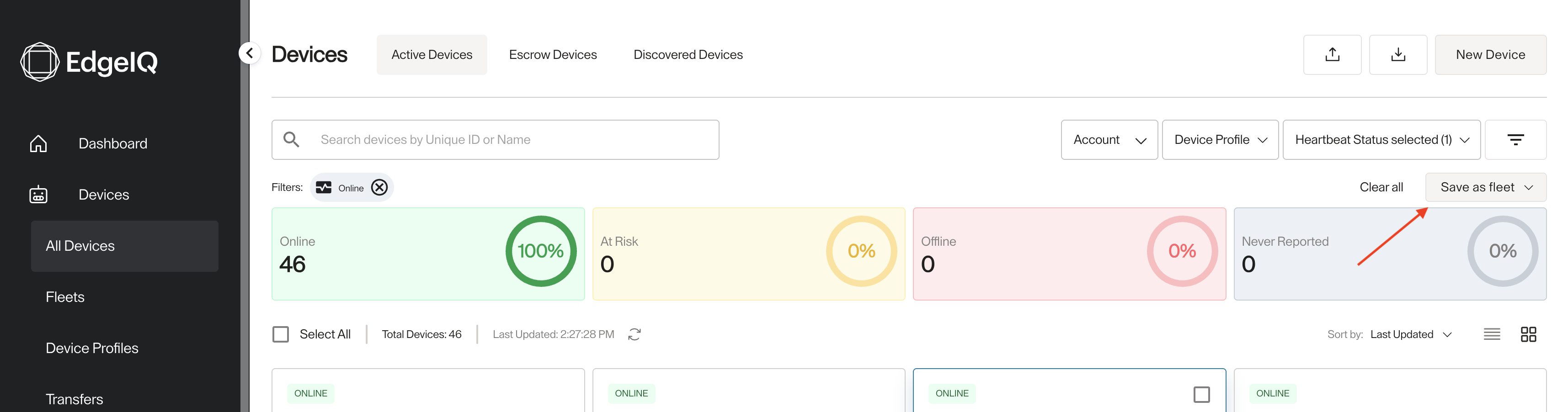
Filter the devices by any filter criteria you want, by account, device profile, health status, etc ...
-
Once you filter by any criteria, you will see the same Save as a fleet button at the rop right.
-
Once clicked you will see one option Save as a smart fleet
-
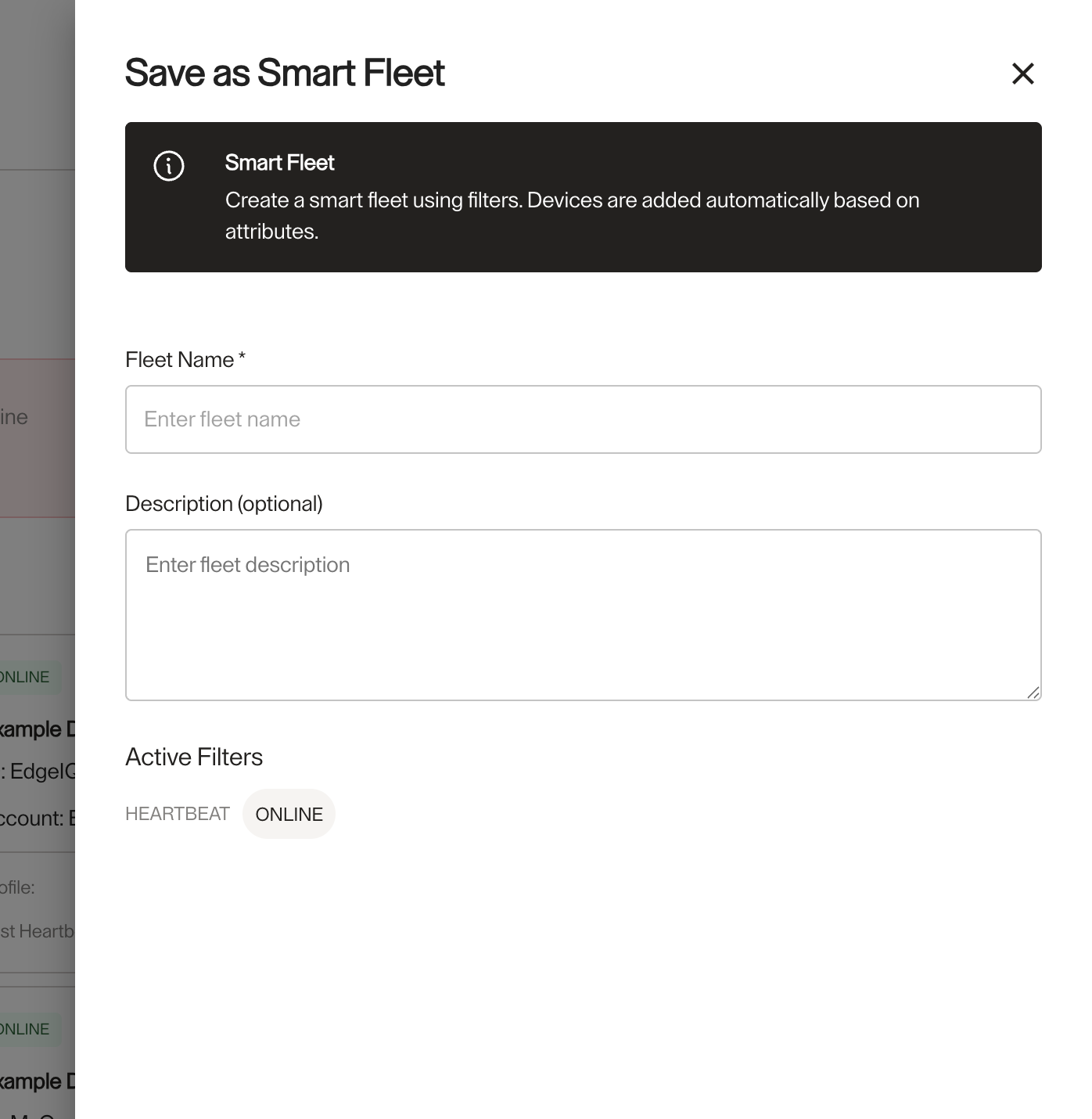
It will open the same form as the one for the static fleet, but under the description you will see the filter criteria this smart fleet will have.
Updated 4 months ago